


WSB-TV News
4.51.88K Reviews
App Specs
- Version
- Varies with Device
- Updated On
- License
- Free
- Downloads
- 100,000+
- Developer
- Cox Media Group Inc.
- Categories
- News & Magazines
- Platform
- Android
Screenshots

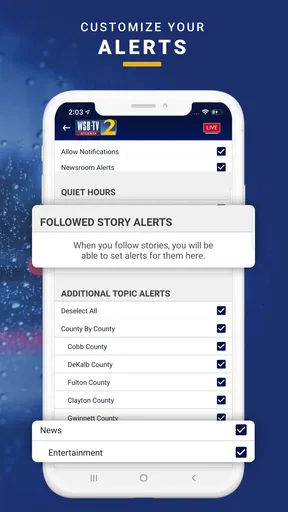

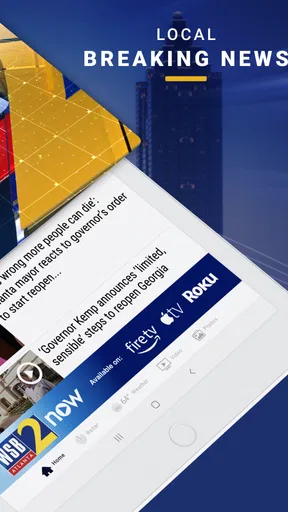
 Analysis by AppCompare
When I want a quick picture of what is happening around Atlanta, I prefer a local news app that gets to the point instead of making me search through a national feed. WSB-TV News fits that role well. It is a free News & Magazines app from Cox Media Group Inc., built around Atlanta-area reporting, weather, traffic, and related updates. After using it as a regular part of my morning and commute routine, I found it most useful as a local information dashboard rather than as my only source for every story.
The app has a straightforward purpose: help people follow the place where they live, work, or travel. That focus matters. A broad news aggregator may show more headlines, but it can bury a road closure, severe-weather development, or neighborhood story beneath national coverage. Here, the local emphasis makes the first few minutes of checking the news more practical. The experience is especially appealing if Atlanta is part of your daily life and you want information selected with that area in mind.
Its audience response is also encouraging. WSB-TV News holds a 4.5 average from around 5.7 thousand ratings, has more than 1.9 thousand written reviews, and has passed 100 thousand installs. Those figures do not replace personal testing, but they do suggest that the app has built a dependable audience. It is rated for Everyone 10+, and because it is free, trying it does not require a financial commitment.
How I use WSB-TV News in a normal day
I find this section useful because a local news app earns its place through small, repeatable checks, not constant scrolling. I’ll describe how I fit Atlanta headlines, weather, and traffic around the decisions I actually make during the day, including when I leave the app closed. That routine also sets up a closer look at which personal habits make the experience calmer and more practical.
A practical local-news routine
My baseline workflow starts with a short check in the morning. I look for the main Atlanta headlines first, then move to weather and traffic before leaving home. This order is more useful than opening a general news app and scrolling through unrelated national stories. If I am planning a drive, traffic deserves attention before I spend time reading longer articles. If the weather looks unsettled, I reverse that order and check conditions before making decisions about the route.
During the day, I use the app in a different way. I am not constantly refreshing it, because that can turn a useful tool into a distraction. Instead, I open it when I need local context: a sudden change in road conditions, a developing public-safety story, or a weather situation that could affect plans. That habit keeps the app valuable without making every update feel urgent.
In the evening, I use it for a broader review of the day. Local stories often make more sense after the immediate rush has passed. Reading the headline, checking the article details, and then comparing the information with what I already know helps me avoid reacting to a short alert without context. This is one of the app’s better qualities: it can serve both quick checks and more deliberate reading, depending on how much time I have.
Worth Reading Before You Choose

EA SPORTS FC Mobile 26 Is a Bigger Football Game, but It Takes Time

Flipboard Shows What News Apps Must Do Beyond the Feed

Switching to Android Auto Means Rethinking Your Driving Routine

Google Calendar Makes a Crowded Week Easier to Manage

Ludo King Makes the Most of the Minutes Between Plans

Baby Panda World Brings Quick Play to Modern Phones, but Its Game Library Feels Busy
Where the local focus helps most
The strongest use case is someone who needs Atlanta-specific information repeatedly. That includes commuters, residents following neighborhood developments, families monitoring weather, and visitors trying to understand conditions before moving around the area. A national app might cover a major Atlanta event, but it will not necessarily make local traffic or weather the center of the experience.
I also see value for people who have moved away but still care about Atlanta. The app provides a simpler way to keep local headlines in view without building a complicated collection of sources. It is not a substitute for every specialized outlet, but it can act as a convenient starting point for the stories most likely to matter to someone connected to the region.
One realistic example is a weekday drive across the metro area. Before leaving, I check the latest traffic information and weather, then scan the main local headlines. If conditions are changing, I avoid treating the first update as a final answer. I check again closer to departure and use the app as one part of the decision rather than assuming a news screen can predict every delay. That small habit is more useful than simply installing the app and waiting for it to do all the work.
What the first-time experience feels like
The app is easy to understand because its purpose is narrow. I do not need to learn a complicated system before finding local coverage. The main challenge is not navigation; it is deciding how much attention to give each type of update. News, weather, and traffic have different levels of urgency, so I recommend treating them as separate checks rather than reading the screen from top to bottom every time.
That approach also makes the app feel less noisy. A quick headline scan is enough when I only need awareness. When a story affects my plans, I open the full coverage and spend more time with it. Experienced use comes from repeating that distinction, not from trying to consume every item the moment it appears.
Settings and habits that make it more useful
A few deliberate choices can make checking local news feel less like another stream of interruptions. I’ll focus on how I decide when to look, how I handle alerts, and how I separate a headline from information that should change my plans. From there, it makes sense to consider quicker routines for people who need Atlanta updates while juggling a busy schedule.
Review notification choices instead of accepting everything
The first setting I would examine is notification behavior. Local news alerts can be genuinely useful, especially during fast-moving weather or traffic situations, but too many interruptions reduce their value. I prefer to keep alerts focused on information that could change my plans and avoid allowing every headline to demand immediate attention. The exact options available can depend on the current app and device setup, so I would inspect the notification controls on the phone rather than assume every installation behaves identically.
This is an important trade-off. Turning off all notifications may make the app quieter, but it also means I have to remember to open it manually. Leaving everything enabled can create alert fatigue. My recommendation is to begin conservatively, use the app for a few days, and adjust based on whether the alerts help me make decisions or merely interrupt me.
Separate awareness from action
A useful setting-related habit is to decide what an alert means before tapping it. A headline is a prompt to investigate, not automatically a complete explanation. For weather and traffic, I treat a notification as a reason to check the latest details and consider alternatives. For a developing news story, I read the article and look for the newest context before sharing it with someone else.
This may sound simple, but it prevents one of the common problems with mobile news: acting on a fragment. WSB-TV News is convenient because it brings local information close to hand; that convenience makes it even more important to slow down when the subject is serious or changing quickly.
Make the app fit a repeatable checking schedule
I get better results when I attach the app to existing routines. A morning check, a pre-commute check, and an evening review are easier to maintain than an undefined goal to “keep up with the news.” This also reduces unnecessary opening and closing throughout the day. If Atlanta weather is unstable, I add a manual check before an outdoor activity. If my schedule is ordinary, I keep the routine shorter.
Another helpful pattern is to use the app alongside, not instead of, a navigation tool when driving. The news app can provide local reporting and traffic awareness, while a dedicated navigation service is usually better suited to turn-by-turn routing and live route decisions. Combining them avoids asking one app to perform a job it was not designed to handle.
Use reading time deliberately
When I have only a minute, I scan headlines and look for changes that affect my immediate plans. When I have more time, I read one or two complete articles rather than opening everything. This keeps the experience from becoming a stream of half-read stories. It also makes it easier to remember what I actually learned.
For families, the Everyone 10+ rating is worth keeping in mind. It makes the app broadly accessible, but local news can still include difficult subjects. I would not hand a child the phone without context simply because the age rating is relatively inclusive. Parents can decide how much news is appropriate and use the app as an opportunity to discuss what a headline means.
Faster patterns for busy Atlanta users
When time is tight, the goal is not to read everything; it is to spot what could affect the next decision. I’ll share a compact way to scan local headlines, weather, and traffic without letting one item consume the whole check. Those shortcuts work best when paired with a clear understanding of what a local news app can—and cannot—do.
Use a three-pass scan
My fastest reliable method is a three-pass scan. First, I identify anything that could affect my immediate plans. Second, I check weather and traffic for practical changes. Third, I choose one important story to read in full. This takes less effort than opening every section, and it prevents the most useful information from being lost in casual scrolling.
The key is to avoid treating every headline equally. A traffic update matters more before a commute than after arrival. A weather story may be more important before an outdoor event than during a quiet evening at home. Matching the app to the decision in front of me makes the local focus much more valuable.
Build a “before I leave” habit
For people who travel around Atlanta, I recommend checking the app at the same point in the departure routine, such as after packing but before starting the car. The habit is easy to remember and leaves room to change plans if a local issue appears. I would not read while driving; the useful part is completing the check before moving.
This workflow is better than relying on memory after a rushed morning. It also gives weather and traffic information a clear purpose. Instead of opening the app because I feel I should be informed, I open it because I am about to make a decision.
Use local reporting as a starting point for deeper research
When a story affects me directly, I use WSB-TV News to understand the local angle first, then look for additional detail from the appropriate official or specialist source. For example, a traffic story may tell me why a route is affected, while a navigation service helps me choose another route. A weather report may explain the local situation, while a dedicated weather tool can be better for detailed planning.
This is one of the most important trade-offs in the app. Its strength is bringing Atlanta news, weather, and traffic together. Its limitation is that a focused specialist app may offer more depth for one particular task. I do not see that as a flaw so much as a reason to use each tool for what it does best.
Keep alerts from replacing the app itself
Notifications are useful, but I would not build a complete routine around tapping alerts alone. An alert can point me toward a story, while opening the app gives me a better chance to see related coverage and practical information together. If I only react to notifications, I may miss the broader local picture.
A good compromise is to use alerts for urgency and the app’s normal browsing experience for context. That combination is faster than constant checking but more informative than reading isolated snippets.
Where the app reaches its limits
A useful review should also be clear about the point where convenience stops being enough. I’ll explain why I treat local coverage as context rather than a substitute for specialized routing, detailed forecasts, or official instructions, and why the Atlanta emphasis will not suit everyone. That distinction helps make the final recommendation more honest and easier to apply.
It is local, not a complete news universe
The Atlanta focus is the reason to install WSB-TV News, but it also defines what it cannot replace. Someone who wants a single app for international affairs, business analysis, national politics, sports from many regions, and specialized reporting may prefer a broad news aggregator. This app is better when local relevance matters more than maximum breadth.
I would also hesitate to recommend it as the only source for high-stakes decisions. News develops quickly, and an article or alert is still one piece of information. For emergencies, official instructions should take priority. For travel, navigation and transportation services may be more precise. For detailed forecasts, a dedicated weather service may provide more specialized tools. WSB-TV News works best as the local reporting layer in that wider setup.
Traffic information needs cautious interpretation
Traffic is useful, but no news app can remove the uncertainty of moving through a large metropolitan area. Conditions can change after an update, and a report may describe a problem without offering the best route around it. I use the traffic coverage to understand what is happening, then make routing decisions with a navigation tool and common sense.
This distinction matters for new residents and visitors. The app can help explain why a trip may be difficult, but it should not encourage anyone to read while driving or assume that a headline guarantees a clear route. Its practical value increases when it informs preparation before departure.
Breaking news can be emotionally demanding
Local news often covers incidents close to home, which makes it more relevant but sometimes more difficult to process. I appreciate having access to that information, yet I do not keep alerts active at every hour. Creating quiet periods is a reasonable way to stay informed without allowing the news cycle to dominate the day.
The age rating of Everyone 10+ means the app is accessible to a wide audience, not that every story will be comfortable for every reader. Families should use their own judgment, and adults may also benefit from deciding when they want updates rather than receiving them continuously.
It may not suit people outside the Atlanta area
If Atlanta is not part of your life, the app’s main advantage becomes much less important. A national or regional aggregator will probably provide more relevant coverage. Even people who visit Atlanta occasionally may prefer a broader application unless they specifically want local news and weather context before or during their trip.
That is why I would not describe this as a universal news recommendation. It is a targeted tool. The right question is not whether it covers everything, but whether Atlanta-area information is important enough in your routine to justify a dedicated app.
My verdict after using it as a local companion
WSB-TV News succeeds because it stays close to a clear everyday need: understanding what is happening around Atlanta and how it may affect the next few hours. I like the combination of local news, weather, and traffic because it supports real decisions rather than only passive reading. The app is free, the purpose is easy to grasp, and the audience response—with a 4.5 average and more than 100 thousand installs—shows that it has earned a meaningful place on many phones.
My strongest recommendation is to use it with a routine. Check it before leaving, scan for changes that affect your plans, read important stories in full, and use specialist tools when you need routing or deeper forecasting. Review notification behavior early so the app remains helpful instead of noisy. Those habits turn a simple local-news installation into a practical information system.
I would choose it for an Atlanta resident, commuter, family member, or visitor who wants local context without sorting through a huge national feed. I would skip it if my main interest were worldwide coverage or highly specialized reporting. I would also avoid treating it as a replacement for official emergency guidance, navigation, or detailed weather services.
Overall, Cox Media Group Inc. has made a focused News & Magazines app that is easiest to appreciate when local relevance comes first. Its real strength is not trying to be every kind of news service at once; it is giving Atlanta-area information a prominent, usable place in a daily routine. For the right reader, that focus is exactly what makes WSB-TV News worth keeping installed.
Pros
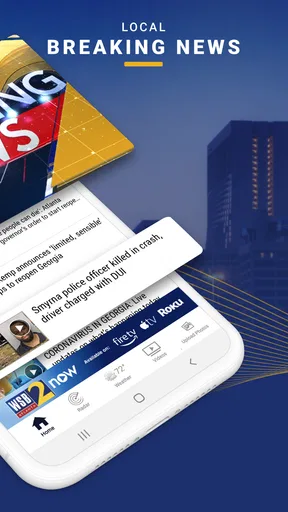
- Fast access to breaking news and local updates from Atlanta.
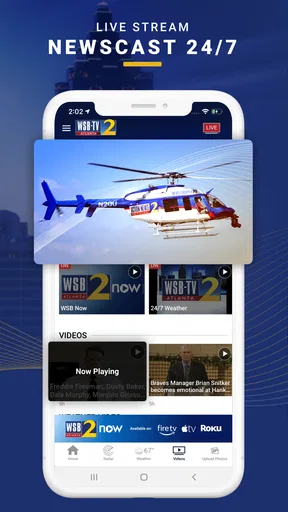
- Live newscasts help users follow major stories as they unfold.
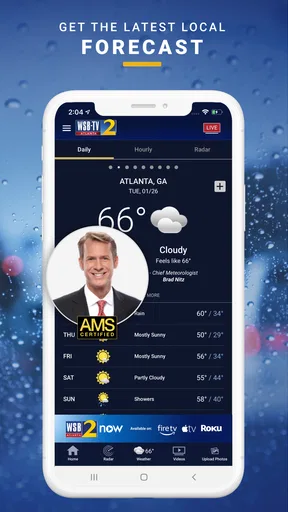
- Weather forecasts include radar and severe-weather alerts.
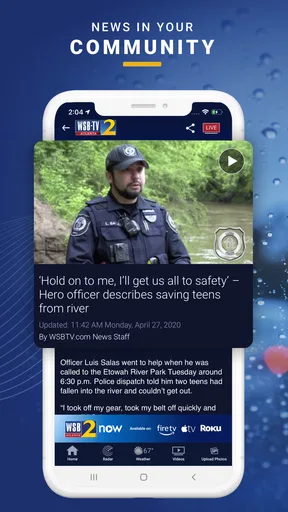
- Video reports make important stories easier to watch on the go.
- Push notifications can keep users informed about urgent developments.
Cons
- Some articles may focus heavily on the Atlanta metropolitan area.
- Breaking-news notifications can feel frequent or intrusive.
- Video playback may use considerable mobile data.
- Certain features may depend on a stable internet connection.
- Advertising can interrupt browsing and reduce the viewing experience.
FAQs for WSB-TV News
What is the WSB-TV News app?
The WSB-TV News app is the mobile companion to Atlanta’s WSB-TV, providing access to local and regional news, weather forecasts, traffic updates, video reports, and live coverage when available. After installing it, users can browse the latest headlines, watch news clips, and receive updates about important events in the Atlanta area and surrounding communities.
Is the WSB-TV News app free to download and use?
Yes, the WSB-TV News app is generally free to download and use on supported Android and iOS devices. Most news articles, weather information, videos, and alerts can be accessed without a subscription. However, the app requires an internet connection, and mobile data charges may apply if you use cellular data instead of Wi-Fi, especially when streaming live video.
What kind of news and local information does WSB-TV provide?
WSB-TV News focuses strongly on Atlanta and the wider Georgia region, covering breaking news, crime, politics, community stories, transportation, sports, entertainment, and investigative reports. The app also offers weather forecasts, radar information, severe-weather coverage, and traffic updates, making it particularly useful for users who want regular local information in one place.
Can I receive breaking-news, weather, and emergency alerts?
Yes, the WSB-TV News app can send push notifications for breaking stories, severe weather, traffic disruptions, and other important local developments. During setup, you may be asked to allow notifications, and you can usually manage alert preferences through the app or your device settings. Enabling location access may also improve the relevance of weather and regional alerts.
Does the WSB-TV News app offer live streaming and video content?
The app includes video reports, news clips, interviews, weather segments, and other content from WSB-TV. Live streaming may be available for newscasts, breaking events, or special coverage, although availability can depend on broadcast schedules, licensing, location, and technical conditions. Video playback works best with a stable Wi-Fi or fast mobile-data connection.


